Verified Identities, New Closing Types, and Faster Document Prep. Here's What's New in May.


A Smarter Identity Profile Built Around Trust
The Identity profile in the Business, Title, and Lender portals has been redesigned with a refreshed look and a meaningful new signal: the verified badge. When someone has completed IAL2 verification on the Proof network, their profile now shows a verified checkmark alongside the date of their most recent verification, giving you an immediate, clear view of their trust status before you initiate a transaction from their identity profile.

This is part of a broader shift in how Proof presents identity. Rather than treating verification as something that happens in the background of a transaction, it's now surfaced front and center in the identity profile, putting the focus on the people you transact with and the confidence you can have in who they are. For title companies, lenders, and business teams that transact repeatedly with the same recipients, that visibility matters.
Full Control Over Every Closing: Mortgages Now Available in the Title Portal
Title agents no longer need to rely on a lender to initiate mortgage transactions. We’ve brought the full power of mortgage processing directly into the Title portal, allowing you to start Refinance and Home Purchase transactions on your own terms. Previously restricted to API users, these transaction types are now available to send from your Title portal, giving you total control over the workflow from the very first step.
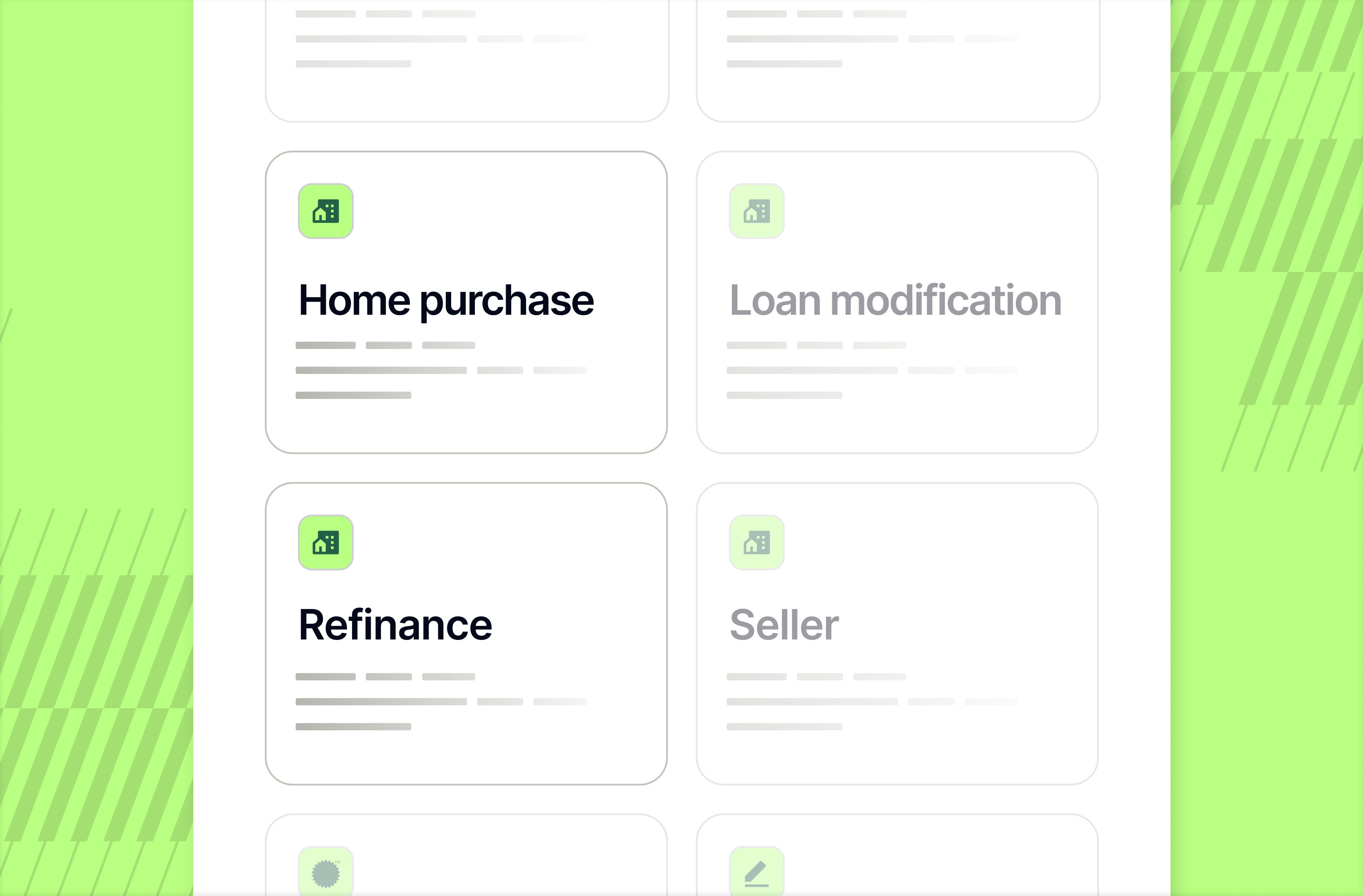
This expansion removes the technical and operational barriers for Title agents managing complex closings. By initiating these transactions directly, you ensure that every refinance or purchase is correctly classified and tracked according to your team’s specific needs. Please note these are Title-only transactions and do not support eNotes.
More Multi-select Actions Now Available
Proof’s document and template editor now supports bulk sidebar actions, giving you the ability to apply changes across many fields at once. Select a group of fields to reassign them to a different signer, toggle them to be optional or required, add field instructions for additional guidance, group them together, and apply anchor text on templates for precise template matching, all in a single action.
For Enterprise and Commercial teams preparing complex, multi-signer packets, this makes a real difference. What used to require opening each field individually can now be handled in bulk, cutting preparation time and reducing the chance of errors across large documents. Business, Title, and Lender users will all have access to these new capabilities in the document and template prep editors.
Ready to see how Proof can help your company achieve its goals? Contact our sales team at sales@proof.com to learn more!











































.jpg)

















































.jpg)